Professional learningfor Coaches, Teachers, Librarians
Looking for the Checking
A looking-at-student-work protocol that asks one question of a class set: did students actually verify what the AI told them, and how can we tell?

All activities Professional learning
Coaches and teachers design a short, privacy-safe student survey on devices, AI, and wellbeing, then read returned results with Notice-Wonder-Next and act on what students said.
Campuses make decisions about screens, AI, and phone rules every week, usually without asking the students who live with them. This session treats student voice as instructional data. Teams design a five-question anonymous survey and a short interview on when technology helps or hinders learning and wellbeing, check it against a privacy checklist, and then read a fictional set of returned results from a seventh-grade team using Notice-Wonder-Next. The protocol keeps the team describing before interpreting and reframing problems as design choices the team controls, and it ends with one change and a plan to tell students what their answers changed.
Hook
Read Question 3 from Handout B aloud without the results: "When I use AI for schoolwork, I check what it says." Each person writes a prediction of how seventh graders answered on a sticky note. Then reveal the results. Ask: "Where were you close? Where were you surprised? What else might we be guessing about our own students?"
Facilitator noteMany people predict either "they all use it and never check" or "they don't use it." The mixed real picture is the case for asking.
Explore
Teams draft on index cards: five questions or fewer and two interview prompts for a small group of students. Give them a focus: "When does technology, including AI, help you learn in our class, and when does it get in the way of your learning or wellbeing?" Require at least one question about checking AI output, one about distraction or balance, and one open question. Each card should say what the team will do differently depending on the answer; a question with no possible action gets cut.
Facilitator noteSteer away from questions that invite disclosures a survey can't respond to, such as sleep problems, family situations, or mental health. Ask about school experiences the team can change: "When is the laptop in the way during class?" rather than "How much do you use screens at home?"
Practice
Teams trade cards with another team and review them with Handout A. Reviewers mark every item Yes, Partly, or No and write one suggested rewrite. Teams get their cards back and revise at least one question. Ask: "Could any answer identify a student? Could any question put a student in an awkward spot?"
Facilitator noteCommon catches: a "what class period are you in?" question on a small team can identify students; an open question on phones at home can invite family details; a required open question pressures students who would rather not say.
Apply
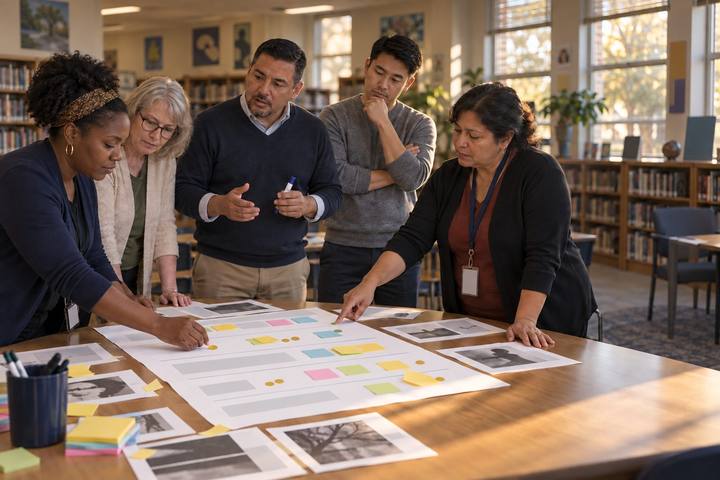
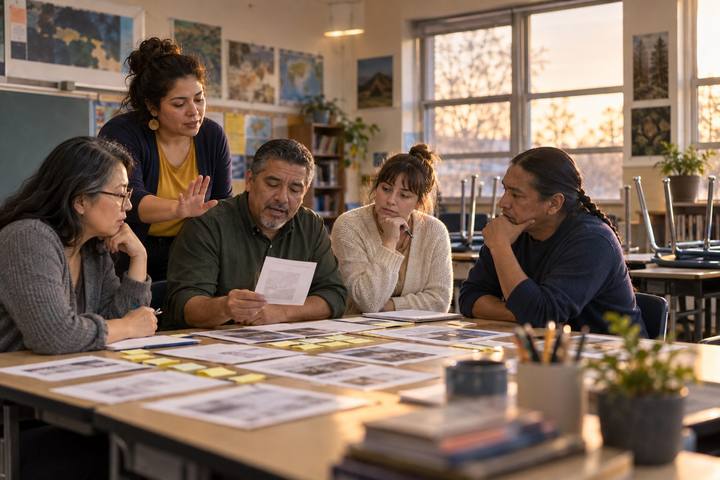
Say: "The Mesquite Ridge seventh-grade team ran a survey like yours. Here's what came back." Teams read Handout B and fill in Handout C. Notice (8 min): only statements someone else could verify on the page, highlighted in one color. Wonder (5 min): questions the data raises, in the other color. Next (7 min): one change the team controls, written as a design shift, not a student fix. A coach or team member facilitates and enforces the order: no Wonders during Notice, no fixes during Wonder.
Facilitator noteListen for Notices that are really interpretations ("students are addicted to their laptops"). Ask: "Where on the page does it say that?" Also listen for student-deficit framing ("they're lazy about checking AI") and reframe it: "What in our design makes checking hard or optional?" Strong teams notice that 41 of 71 students chose talking with a partner, that 33 were unsure of the class AI rule, and that one student has no home internet.
Create
Each team commits to one change supported by the data and writes three sentences on the back of Handout C: what students said, what we will change, and how we will tell them. For example: "Many of you weren't sure of our AI rule. We've posted it and we'll practice checking an AI answer together on Tuesday." Then they name the evidence that will show the change worked, such as a two-question follow-up survey or the next set of student work.
Facilitator noteClosing the loop is what makes the next survey worth answering. Students who see nothing change learn that their voice is decorative.
Debrief
Ask the whole room: "What did the students' answers show that our observations of class alone would have missed?" Then ask: "Which response on Handout B would you want to follow up on, and how would you do it without breaking anonymity?"
Facilitator noteThe "no wifi at home" response is the classic case: the team can't find that student from an anonymous survey, but it can change the homework design for everyone, such as offline options and time in class.
Run the survey on half-sheets of paper with no names, collected in a box or folder so no one sees who wrote what. Tally closed questions by hand with a partner, type or copy open responses onto a clean sheet so handwriting doesn't identify anyone, and run Notice-Wonder-Next on that sheet. Interviews happen as a short small-group conversation with notes taken by the coach, not recorded.
Build the survey in a district-approved form tool with name and email collection turned off, and share it through the LMS. The form's summary view makes it quick to compare sections or grade levels, and a coach can chart results for the team meeting. Remove any open response that could identify a student before sharing results beyond the team, and don't paste raw student responses into an AI tool to summarize them.
Does it need a screen? A form tool makes anonymous responses easier to collect and faster to chart across sections, which helps a team see patterns it would miss by hand. The interpretation, and the decision about what to change, stays a human conversation at the table.
What you should be able to see or collect if it worked.
Teams design a privacy-safe student survey on technology and wellbeing and interpret returned results with Notice-Wonder-Next.
Run your revised survey with one class or grade level within two weeks, run Notice-Wonder-Next with your team, make one change, and tell students what changed. Repeat two questions a month later to see whether the change shows up in their answers.