Student learningfor Grades 9–12, Higher Ed
Data Trail Audit
Teams read an AI study app's privacy policy like investigators, map where their data could travel, and choose settings and habits that shrink their trail.

All activities Student learning
Students rank passwords from weak to strong, build silly-but-strong practice passphrases, and sort tricky moments into keep it secret, share with a trusted grown-up, or tell a grown-up now.
By third grade, many students have school logins, game accounts, or a family tablet code. This lesson gives them three habits to protect those accounts. First, teams line up password cards from weakest to strongest and discover that long, random passphrases beat short passwords full of personal details. Next, they build silly practice passphrases from word cards (never their real ones). Then they become Secret Keepers, sorting tricky moments, including a message that asks for a password and a phone call from a voice that sounds just like a relative, into keep it secret, share only with a trusted grown-up, or tell a grown-up now. They leave with a plan for what to do when an account acts weird.
Hook
Hold up a notebook and say: "This is my secret diary. It has a lock. The combination is… my birthday!" Ask: "Is that a good lock?" Students will say no: lots of people know your birthday. Say: "Accounts online have locks too. They're called passwords. Today you'll learn to make powerful ones, and to be a Secret Keeper who knows who is allowed to know them."
Facilitator noteMake the one firm rule clear right away: "We will never say or write our real passwords today. Everything we make is practice."
Explore
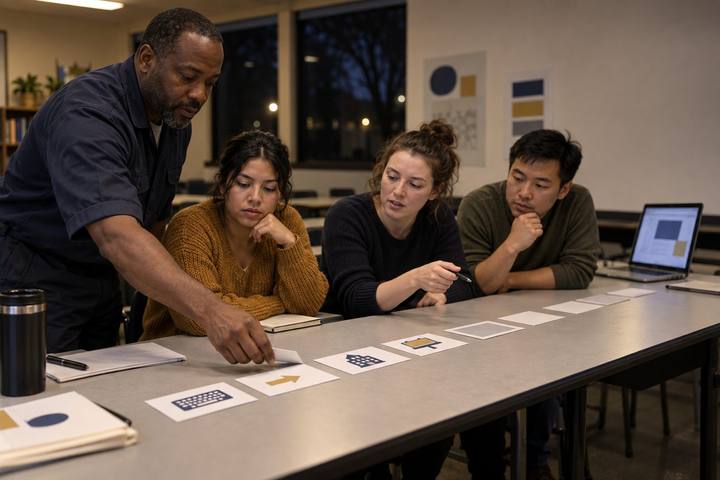
Teams get the ten Handout A cards and line them up (on the table or on a clothesline) from weakest to strongest. They must agree on a reason for their top and bottom card. Then reveal the key: read the backs for a few cards and have teams adjust. Build a class list of Password Power rules on the board: long beats short; random words beat real words about you; no names, birthdays, pets, or teams; a different password for every account; never share it with friends.
Facilitator noteTeams often rank a short password with symbols (like the "B@ddy!" card) above a long passphrase. That's the key misconception. Ask: "Which one would be harder for someone to guess if they knew a lot about you? Which one could you remember?"
Create
Each student draws four word slips from the bag without looking, and writes them in the practice box on Handout C as a silly passphrase (for example, pickle-trumpet-cloud-giraffe). Then they draw a quick picture that helps them remember it. Say: "This is how you make a real one at home with a grown-up: random words, a funny picture in your head. But this one is only for practice. Real passwords don't go on paper at school."
Facilitator notePoint out why drawing without looking matters: words you choose yourself tend to be things you like, and people who know you might guess those. Random picks are harder to guess.
Practice
Teams sort the twelve Handout B scenarios into Keep it secret, Share only with a trusted grown-up, and Tell a grown-up now. Circulate and ask, "Why?" Then discuss the tricky ones as a class. For the two-step check card, explain: "Some accounts send a second check, like a code to a grown-up's phone, when someone signs in. It's like a second lock. If a code shows up and you didn't try to sign in, that's a signal to tell a grown-up." For the voice card, say: "Computer tools can now copy a person's voice. A family can pick a secret safe word to check that a caller is really who they say they are."
Facilitator noteKeep the voice-copying piece calm and brief. The takeaway isn't fear; it's a family habit: hang up and check another way, or ask the safe word. Name your school's real rule for who helps with school passwords.
Apply
Read this aloud: "Jada logs into her game account and her avatar has new clothes she didn't buy, and her friends say she sent them strange messages." Ask teams: "What should Jada do first? Next?" Build the steps together: 1. Stop and don't click anything new. 2. Tell a trusted grown-up right away. 3. With the grown-up, change the password to a new, strong one. 4. Turn on a two-step check if the account has one. 5. Tell friends not to open the strange messages. Students copy the steps they'd use into Handout C.
Facilitator noteEmphasize that Jada is not in trouble. Kids hide account problems when they fear punishment. Say: "Telling a grown-up fast is the smart move, every time."
Reflect
Students finish Handout C on their own: who their trusted grown-ups are for passwords, and one Password Power rule they will use this week. Collect or check it as evidence. Close by reading the family section aloud: "Tonight, talk with your family about making a safe word. Decide it together, and don't write it down on this paper."
Facilitator noteStudents without a family phone or accounts can still do the plan: school accounts count, and a safe word works for any family.
Everything runs on paper: the line-up cards, the word-slip bag, the sort, and the plan. The line-up works well as a movement activity: give ten students one card each and have the class arrange them across the front of the room from weakest to strongest.
On the teacher's device, projected, show where a demo or teacher account keeps its password-change, sign-out-everywhere, and two-step settings, so students can recognize those words later. Never display a student's account. Students do not need devices or accounts for this lesson. For extra practice, share the Secret Keeper scenarios as a teacher-led slide poll where students vote with hand signals.
Does it need a screen? This lesson is better unplugged: the habits are decisions and conversations, and practicing them on paper keeps real passwords off screens and out of sight. A short projected tour of real account settings earns its time by making "change your password" and "two-step check" concrete.
What you should be able to see or collect if it worked.
Students rank passwords, build practice passphrases, and decide who may know a password, core grades 3–5 privacy, safety, and security skills.
At home, students use the last section of Handout C to talk with their family about choosing a family safe word and about who helps them with passwords, and they teach a family member the passphrase trick. In a later lesson, connect to Phish Tank IRL to practice spotting scam messages.