Activity Bank
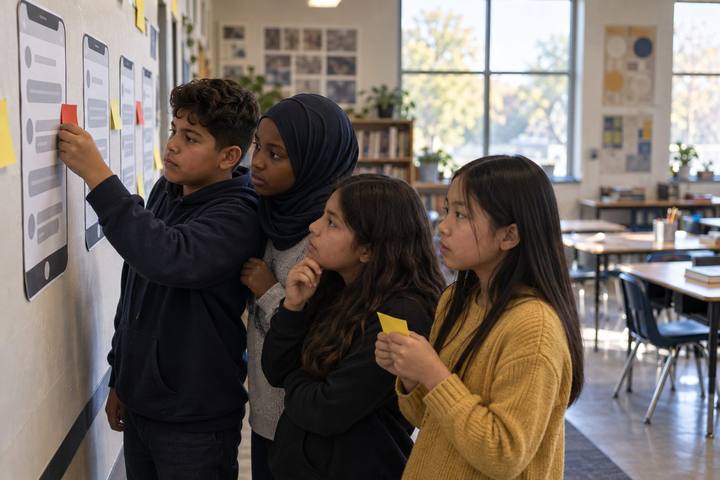
Community college students lay out cards to trace how one piece of data travels from an app to advertisers.

All activities Student learning

Data Trail Audit

Teams read an AI study app's privacy policy like investigators, map where their data could travel, and choose settings and habits that shrink their trail.

Print handouts

Overview

Every app and AI tool students use collects something: what they type, where they are, how long they look, who they talk to. Privacy policies explain much of it, but they are long and written for lawyers. In this audit, teams decode a realistic mock privacy policy for a fictional AI study app, trace how a single data point can travel from the app to partners and data brokers, and then audit a tool they actually use. They leave with a short, evidence-based plan for what to share, what to change in settings, and what to stop typing into chatbots.

Objectives

  • Students will identify what data an app or AI tool collects, why, who it is shared with, and what controls users have, citing specific policy language.
  • Students will explain in their own words what a data broker is and how data from one app can end up with companies the user never dealt with.
  • Students will create a personal data plan with specific settings changes and a rule for what they will not share with AI tools.

Materials

On paper

  • Handout A: StudyNest AI Privacy Policy, excerpt (1 per student)
  • Handout B: Data Trail Cards (1 set per team, cut apart)
  • Handout C: Policy Audit Organizer (1 per team)
  • Three colors of sticky dots or highlighters (green, yellow, red)

On screen

  • One device per team with a browser to open the privacy policy of an app or AI tool the class already uses (school-approved tools first)
  • Optional: students' own phones, only for checking their own settings privately; never required

Before you start

  1. Print Handouts A and C for each team and cut apart Handout B.
  2. Choose two or three real tools your students use that your district or institution has approved (the LMS, a school-approved AI tool, a study app) and bookmark their privacy policies for the digital round.
  3. Read the Data Trail Card backs so you can explain each hop without relying on outside statistics.
  4. Remind students that they will never need to share their own data, screenshots, or settings with anyone in class.

Step by step

  1. 10–5 min

    Hook

    What did you tell the internet today?

    Ask students to list silently, on scrap paper they will keep, everything they've typed, searched, clicked, or asked an AI tool since waking up. Give 90 seconds. Then ask: "Which of those would you be uncomfortable seeing on a billboard? Which of those did an app keep?" Say: "Most of us don't know the answer to the second question. Today we find out how to check."

    Facilitator noteKeep the lists private. The point is noticing volume and sensitivity, not sharing.

  2. 25–13 min

    Model

    Reading a policy like an investigator

    Project Handout A. Model the four investigator questions on the first section: What do they collect? Why? Who else gets it? What can I control? Highlight in green what seems fine and expected, yellow what you'd want to know more about, and red what worries you. Think aloud about vague words: "may share," "trusted partners," "improve our services." Ask: "What does 'improve our services' mean for a chat you had with an AI study tool?"

    Facilitator notePoint out that "improve our services" in an AI tool can include using conversations to train or evaluate models. Some policies allow users to opt out, some don't, and some don't say. Not saying is itself a finding.

  3. 313–28 min

    Explore

    Audit StudyNest

    Teams finish highlighting Handout A and complete the StudyNest row of Handout C, quoting the exact words that answer each investigator question. Then each team gives StudyNest a trust rating (green, yellow, red) and one sentence of reasoning. Circulate and push for quotes: "Show me the words that tell you that."

    Facilitator noteSection 5 ("de-identified data") and Section 7 ("business transfers") are the most commonly missed. Point teams to them if they finish early.

  4. 428–38 min

    Explore

    Follow the trail

    Teams lay out the Data Trail Cards in order to tell the story of one piece of data, from a student typing a question into StudyNest to an ad that follows them on another site. They read each card, arrange the hops, and then flip them to check the explanation on the back. Explain data brokers plainly: companies that collect information about people from many sources, combine it into profiles, and sell or license those profiles, often without the people ever knowing the broker exists.

    Facilitator noteAvoid claims about how many brokers exist or how much data they hold. The mechanism, not a number, is what students need.

  5. 538–53 min

    Apply

    Audit a real tool

    Each team opens the privacy policy for a tool the class uses (from your bookmarked list) and completes the second row of Handout C with quoted language. Teams also look for any settings page for data use, chat history, or model training, and note what options exist. Unplugged option: print the first two pages of a real policy for a school-approved tool, or have teams audit the policy sections on Handout A they didn't finish.

    Facilitator noteIf a team finds a school-approved tool has a clause they rate red, treat it as useful feedback. Collect those findings to share with your technology department.

  6. 653–65 min

    Reflect

    My data plan

    Each student writes a three-part plan on the back of Handout C: one setting I will check or change (on my own device, privately), one thing I will never type into an AI tool (for example, full name plus school, health details, passwords, a friend's personal information, or photos of other people), and one question I'd ask a company about its policy. Invite volunteers to share their "never type" rule, and build a class list on the board.

    Facilitator noteLook for specific rules ("I won't paste my college essay with my name and address into a chatbot") rather than general ones ("be careful online").


Paper or screen

Unplugged

Run the StudyNest audit and the Data Trail Cards entirely on paper. For the "real tool" round, print the first pages of a school-approved tool's privacy policy in advance. Students write their data plans on paper and check their own settings at home.

Digital

Teams open real privacy policies in a browser and use search-in-page for words like "share," "partners," "train," "retain," and "delete" to jump to key clauses, then paste quotes into a shared version of Handout C. Students may check settings on their own devices privately; never ask them to show or screenshot personal settings. If an approved AI tool is available to students 13+, teams can ask it to summarize a policy and then check the summary against the actual text, which often reveals what summaries leave out.

Does it need a screen? Searching a real policy for key words and finding the actual settings page turns an abstract warning into a skill students can repeat on any app. The evidence is a quote they found and a setting they located, not a slogan about being careful.

Evidence of learning

What you should be able to see or collect if it worked.

  • Handout C cites exact policy wording for each investigator question rather than paraphrasing loosely.
  • Teams notice vague or missing information ("doesn't say whether chats train the model") and count it as a finding.
  • Students explain a data broker's role in their own words using the trail cards.
  • Data plans name a specific setting, a specific "never type" rule, and a specific question for a company.

Adaptations

Higher Ed
Audit the privacy policy of a campus-licensed AI tool and the institution's own guidance on student data, and discuss where student education records fit into the picture.
Grade 9
Use Sections 1, 2, 4, and 6 of Handout A only and give teams a glossary for "third party," "retain," "de-identified," and "opt out."
Emergent bilinguals
Pair teams with bilingual glossaries and let them check whether a real tool's policy is available in their home language, a useful access finding in itself.
Families
Send the investigator questions home and invite students to audit one app with a parent or guardian.

Standards connections

Students decode a mock privacy policy, quote the exact wording on collection and sharing, and trace data to brokers, core privacy-and-security work in digital citizenship.

TEKS
privacy, safety, and security (c)(10)comprehension skillsresponse skillsTEKS sections: Technology Applications high school Technology Applications courses (19 TAC Chapter 126); ELAR §110.36–§110.39

See how all activities align

Reflect

  • How do I protect my personal information when I use apps and AI tools? (S2.1)
  • What are the risks of sharing content or data online that I hadn't considered before? (S2.3)
  • Why should AI companies be transparent about what they do with what I type? (AI2.3)

What comes next

Before using any new app or AI tool this semester, students run the four investigator questions and jot the answers in their notes. At home, students can use the same questions with family on one app everyone uses.

Pairs well with