Activity Bank
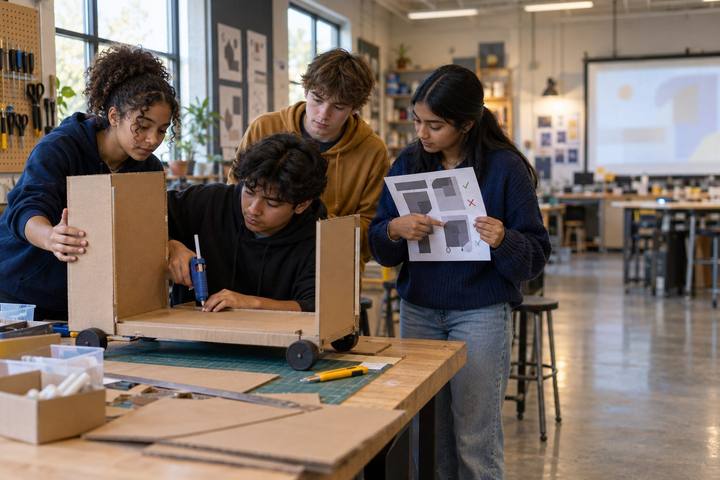
University students ask a classmate why she made a particular choice in her design.

All activities Student learning

Human + AI Studio

Students create a short piece with AI as a prompt partner, log every suggestion they keep, change, or reject, and defend their human choices in a studio critique.

Print handouts

Overview

Generative AI can produce a poem, a story opening, or a poster concept in seconds, which raises a real question for student creators: what part of the work is theirs? In this studio, students make a short creative piece (flash fiction of 150–250 words or a one-page design concept) using AI only as a prompt partner that offers ideas, never as the author. They keep a Human Choices Ledger of every AI suggestion and their decision about it, then defend their choices in a studio critique where peers ask, "Why that?" The evidence of learning is not the finished piece; it's the trail of decisions that made it.

Objectives

  • Students will use a generative AI tool, or a deck of AI-generated suggestions, to expand their creative options without handing over authorship.
  • Students will document each AI suggestion and their decision to keep, change, or reject it, with a reason grounded in their creative intent.
  • Students will explain and defend the human choices in their work during a peer critique and write an honest disclosure of AI's role.

Materials

On paper

  • Handout A: AI Suggestion Deck (1 set per student or pair, cut apart), used for the unplugged path and as a model
  • Handout B: Human Choices Ledger (1 per student)
  • Handout C: Studio Critique Rubric (1 per student)
  • Paper, colored pencils, and markers for design concepts

On screen

  • A generative AI chatbot your district or institution approves for students 13+ (the teacher projects it for younger students)
  • A word processor or simple design tool for drafting

Before you start

  1. Choose the studio prompt. The default is: "Write a 150–250 word flash fiction, or design a one-page poster concept, about a moment when something ordinary became strange." Adjust it to your course content if you like.
  2. Print and cut Handout A. Its suggestions were written to respond to the default prompt, so students on the unplugged path draw from them as if they came from an AI.
  3. Confirm the AI tool is approved for your students' ages. Ask students not to prompt with the names of living artists or authors (see the "Who Owns the Output?" activity for why).
  4. Set up critique circles of four with mixed genres (writers and designers together).

Step by step

  1. 10–7 min

    Hook

    Spot the choice

    Read aloud two versions of the same opening line: A: "The kitchen was quiet." B: "The refrigerator hummed a song my grandmother used to sing." Ask: "Suppose an AI suggested line A and a student changed it into line B. Whose line is B?" Take a few answers. Say: "Today you'll create with an AI partner, and you'll track every choice. At the end, you'll show us exactly what's human in your work."

  2. 27–17 min

    Model

    Prompt partner, not ghostwriter

    Project the approved AI tool. Model partner prompts that ask for options, not a finished piece: "Give me five strange things that could happen in an ordinary kitchen." "Suggest three different endings for a story where a refrigerator hums a song. Keep each to one sentence." "What's a surprising color palette for a poster about an ordinary thing becoming strange?" Contrast with a ghostwriter prompt: "Write a 200-word story about a strange kitchen." Then model the ledger: log one suggestion and your decision (keep, change, reject) and the reason tied to your intent.

    Facilitator noteName the rule: AI may offer ideas, options, and questions. The words, images, and final arrangement are the student's.

  3. 317–52 min

    Create

    Studio time

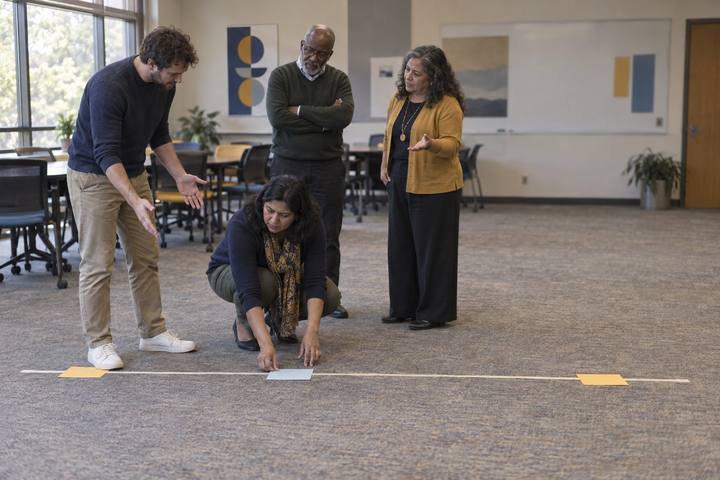
    Students draft their piece. At least five times during studio time, they request AI suggestions (from the approved tool or by drawing a card from Handout A) and log every suggestion on Handout B with a decision and a reason. Require at least one rejection and at least one change. Circulate and ask individual students: "What did you want that the AI didn't give you?"

    Facilitator noteWatch for students pasting AI text straight in. Ask them to read the ledger row aloud and explain the reason. Usually that prompts a revision on its own.

  4. 452–72 min

    Debrief

    Studio critique: "Why that?"

    In circles of four, each creator has 5 minutes: 1 minute to share the piece, then 4 minutes of peer questions. Peers must ask at least two "Why that?" questions about specific choices, and the creator answers using their ledger. Peers score using Handout C and write one warm ("This choice works because…") and one cool ("I wondered about…") comment.

    Facilitator noteStrong critiques focus on decisions: "Why did you reject the twist ending?" Weak ones focus only on liking the piece.

  5. 572–90 min

    Reflect

    Revise and disclose

    Students make one revision based on critique feedback and log it. Then they write a two-sentence disclosure to attach to their piece: what the AI contributed and what they decided. Close with a whole-class question: "Did the AI make your work more creative, less creative, or just different? What's your evidence?"

    Facilitator noteAccept all three answers if they're backed by the ledger. Some students find AI options flatten their voice, and that's a legitimate finding.

Paper or screen

Unplugged

Students draw from the Handout A AI Suggestion Deck instead of a live tool, treating each card as an AI suggestion. They draw at least five cards over studio time, log each one on Handout B, and decide whether to keep, change, or reject it. The ledger, critique, and disclosure work exactly the same, and students often notice that pre-written suggestions don't fit their piece, which is a good lesson about generic AI output.

Digital

Students 13+ use an approved chatbot for partner prompts and keep the ledger as a digital table, pasting each AI suggestion next to their decision. Drafts live in a document with version history turned on, so the teacher can see the piece evolve. Critique can run in small breakout rooms or as comment threads on a shared gallery page. Students under 13 use the unplugged deck, or the teacher runs the tool on a projector.

Does it need a screen? A live tool generates suggestions shaped by each student's own ideas, so the ledger captures real, responsive decisions, and version history shows how the work changed. That trail of choices is evidence of creative thinking that a finished piece alone can't show.

Evidence of learning

What you should be able to see or collect if it worked.

  • The ledger shows at least five AI suggestions with decisions and reasons tied to the student's intent, including at least one rejection and one change.
  • During critique, the creator answers "Why that?" questions with specific reasons, not "the AI said so."
  • The final disclosure accurately separates AI contributions from human decisions.
  • Students support their answer about whether AI made their work more or less creative with evidence from the ledger.

Adaptations

Higher Ed
In a first-year writing seminar or design foundations course, extend the studio to a two-page piece and have students connect their ledger to a reading on authorship and creative process.
Art and design classes
Replace flash fiction with a one-page visual concept sketched by hand, using AI only for words: concept options, color palettes described in words, and critique questions.
Emergent bilinguals
Students may write their piece in their home language or bilingually and use AI to suggest words in either language, logging those choices too.
Students who need more structure
Provide three required partner prompts and a ledger with the first two rows modeled.

Standards connections

Students draft flash fiction or a design concept, log every AI suggestion they keep, change, or reject, and disclose AI's role honestly.

TEKS
compositioncreativity and innovationethics and laws (c)(9)TEKS sections: Technology Applications high school Technology Applications courses (19 TAC Chapter 126); ELAR §110.36–§110.39

See how all activities align

Reflect

  • How did I collaborate with AI while keeping my own voice and decisions? (AI5.1)
  • Did AI augment my creativity, limit it, or just change it? What's my evidence? (AI5.3)
  • Why does being transparent about AI's role matter to me as a creator? (AI2.3)

What comes next

Students attach a short ledger and disclosure to their next creative assignment in any course. At home, they can show a family member their ledger and explain one choice they made that the AI couldn't have made for them.

Pairs well with