Student learningfor Grades 9–12, Higher Ed
Human + AI Studio
Students create a short piece with AI as a prompt partner, log every suggestion they keep, change, or reject, and defend their human choices in a studio critique.
All activities Professional learning
Educators sort real classroom and faculty tasks along a human-to-AI spectrum, co-create something with AI while keeping their own thinking visible, and write the disclosure and syllabus statements that make the line clear to students.
The useful question isn't "AI or no AI?" It's "who does which part of the thinking, and does that serve the learning goal?" In this session participants sort classroom and faculty tasks along a spectrum from human-only to AI-assisted to AI-generated with human review, then experience a creative co-creation round where AI widens the options and the human chooses, transforms, and owns the result. They finish by writing a student disclosure statement and a course AI-use statement, with a higher education syllabus variant, so students know exactly where AI belongs in each assignment, if it belongs at all.
Hook
Read your welcome paragraph aloud. Ask: "Human or AI?" Take a quick vote. Then read your disclosure: e.g., "I asked an AI tool for three possible openings, combined two of them, rewrote every sentence in my own voice, and added the story about my first classroom myself." Ask: "Did knowing what the AI did change how you feel about it?"
Facilitator noteMost people are more comfortable once they know the specific division of labor. That's the argument for specific disclosure over a yes/no "AI used" checkbox.
Explore
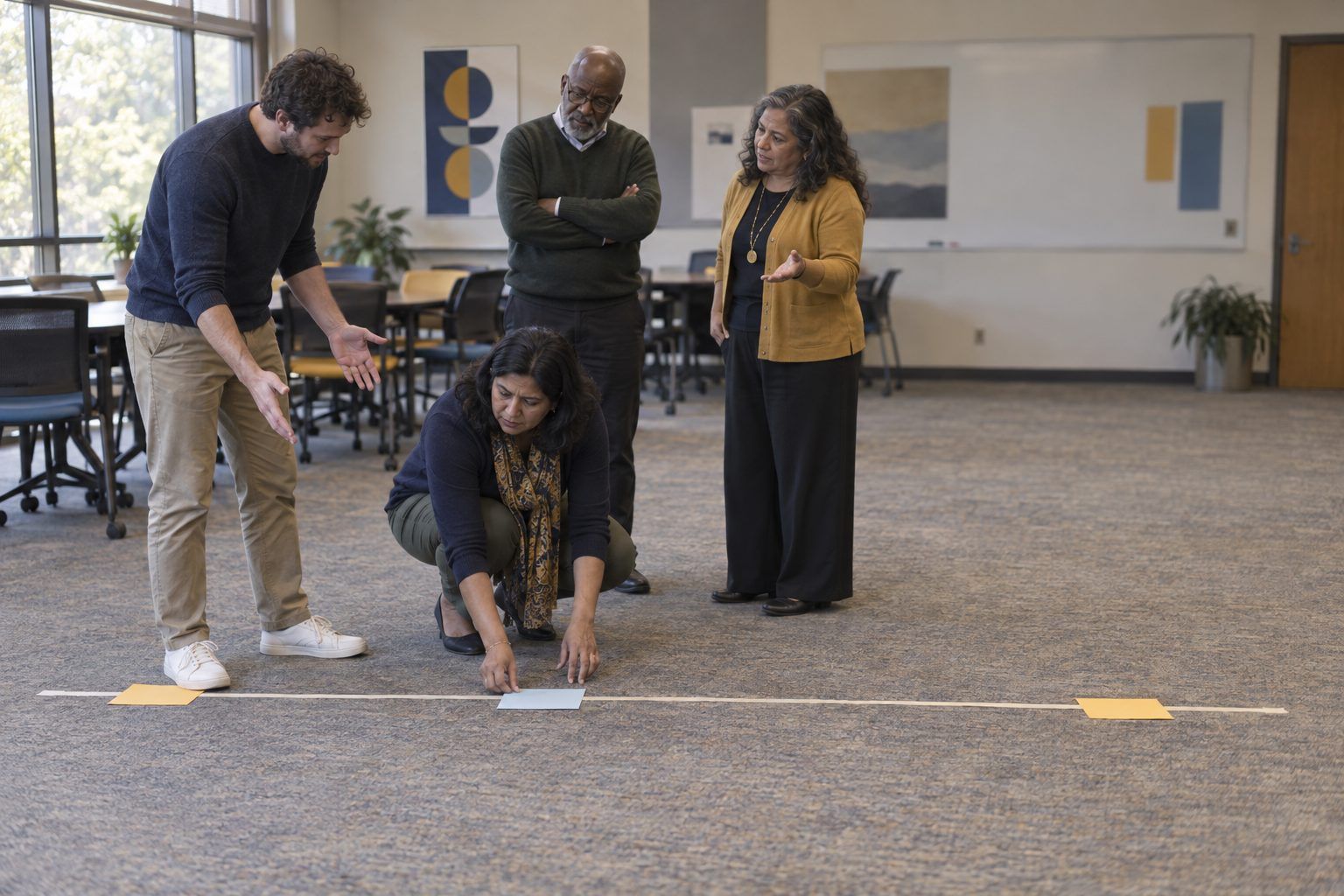
Tables sort the Handout A task strips into three zones: Human only, AI-assisted (human leads, AI supports), and AI-generated (human reviews and decides). Then each table picks its two most-debated strips and physically places them on the masking-tape spectrum, defending the spot aloud. Ask the room: "What would move this strip toward the other end?" (Usually: a different learning goal.)
Facilitator noteHold the line on the core principle: placement depends on the learning goal. If the goal is to develop a student's own voice, the writing stays human. If the goal is to analyze feedback, AI-drafted feedback may be fine.
Create
Each person uses the approved AI tool (or the facilitator's projected tool) on a creative task. Default task: design an opening scenario for a unit you teach. Step 1: ask the AI for ten unusual "what if" hooks. Step 2: cross out at least six, and note why on Handout B. Step 3: combine, twist, or localize one of the survivors into something that's yours: add your students' community, a real constraint, your own question. Step 4: log what the AI contributed and what you contributed.
Facilitator noteUnplugged version: use the printed mock list in the Unplugged section. The point isn't the AI's ideas. It's the human choosing, rejecting, and transforming, which is where creativity shows.
Debrief
Pairs trade their final hook and Handout B log. Ask: "Point to the part that's unmistakably yours." Share a few aloud. Then ask: "When did the AI widen your thinking, and when did it pull you toward something generic?" Chart answers under "Augmented" and "Flattened."
Facilitator noteGeneric, middle-of-the-road output is a predictable result of how these models work: they tend toward likely text. Rejecting the obvious is a human creative skill worth teaching explicitly.
Model
Walk through Handout C. A useful student disclosure names (1) the tool in general terms, (2) what I asked it to do, (3) what I kept, changed, or rejected, and (4) how I checked it. A useful course statement is assignment-level, not one rule for the whole year, and explains why each level fits the learning goal. Point out the higher ed syllabus variant and its three levels.
Facilitator noteBe honest about enforcement: AI-writing detectors are unreliable and can falsely flag students, including non-native English writers. Clear expectations, disclosure, and process evidence (drafts, logs, conversations) work better than detection.
Create
Each person drafts two things on Handout B. (1) A student disclosure template for one upcoming assignment. (2) An AI-use statement for that assignment or course, adapting the K–12 or Higher Ed model on Handout C: which level applies, why it fits the learning goal, what students must disclose, and what happens if they're unsure. Tables swap drafts and check: "Could a student tell exactly what's allowed?"
Facilitator noteFaculty often write statements that are clear about prohibitions and silent about permitted uses. Push for at least one sentence on how AI may help.
Transfer
Each person names the assignment where they'll introduce their statement and disclosure template, and one way they'll ask students for feedback on it. Optional: students place the same Handout A strips (student tasks only) on the spectrum before seeing your statement, and you compare their thinking with yours.
Facilitator noteStudents may place tasks differently than you expect. Their reasoning makes a great opening for a class norms conversation.
The sort, spectrum walk, and statement writing are all unplugged. For the co-creation round, give each person this printed list, a mock AI brainstorm (fictional output) for "ten 'what if' hooks for a unit on water": What if your town's water came from a single well? What if a drop of water could keep a diary? What if every school had to pay for the water it used? What if a river sued a factory? What if you had to design a city on a floating island? What if ice sank instead of floated? What if your school garden had only one bucket a day? What if rain fell only once a year? What if you traced your breakfast's water footprint? What if the town water tower could tell its own history? They cross out, combine, and transform just as they would with a live tool, and log their choices on Handout B.
Participants with approved accounts run the co-creation round on their own devices; otherwise the facilitator projects the tool and takes table requests. Statements can be drafted in a shared document so colleagues comment in the margins, and faculty can paste their final syllabus statement straight into their LMS course shell. Students under 13 never need their own AI account; the teacher drives the tool on a projector.
Does it need a screen? The live co-creation round lets participants feel the difference between AI widening their options and AI replacing their judgment, which a printed list can only approximate. The evidence of learning isn't the AI's output; it's the Handout B log showing what the human chose, rejected, and transformed.
What you should be able to see or collect if it worked.
Teachers write assignment-level AI-use statements and a student disclosure template, preparing students to credit AI help honestly while keeping creative ownership.
Introduce your assignment-level AI-use statement and disclosure template with your next major assignment. Collect the disclosures with the work, and bring three to your PLC or department to discuss what they reveal about how students actually used AI.