Activity Bank
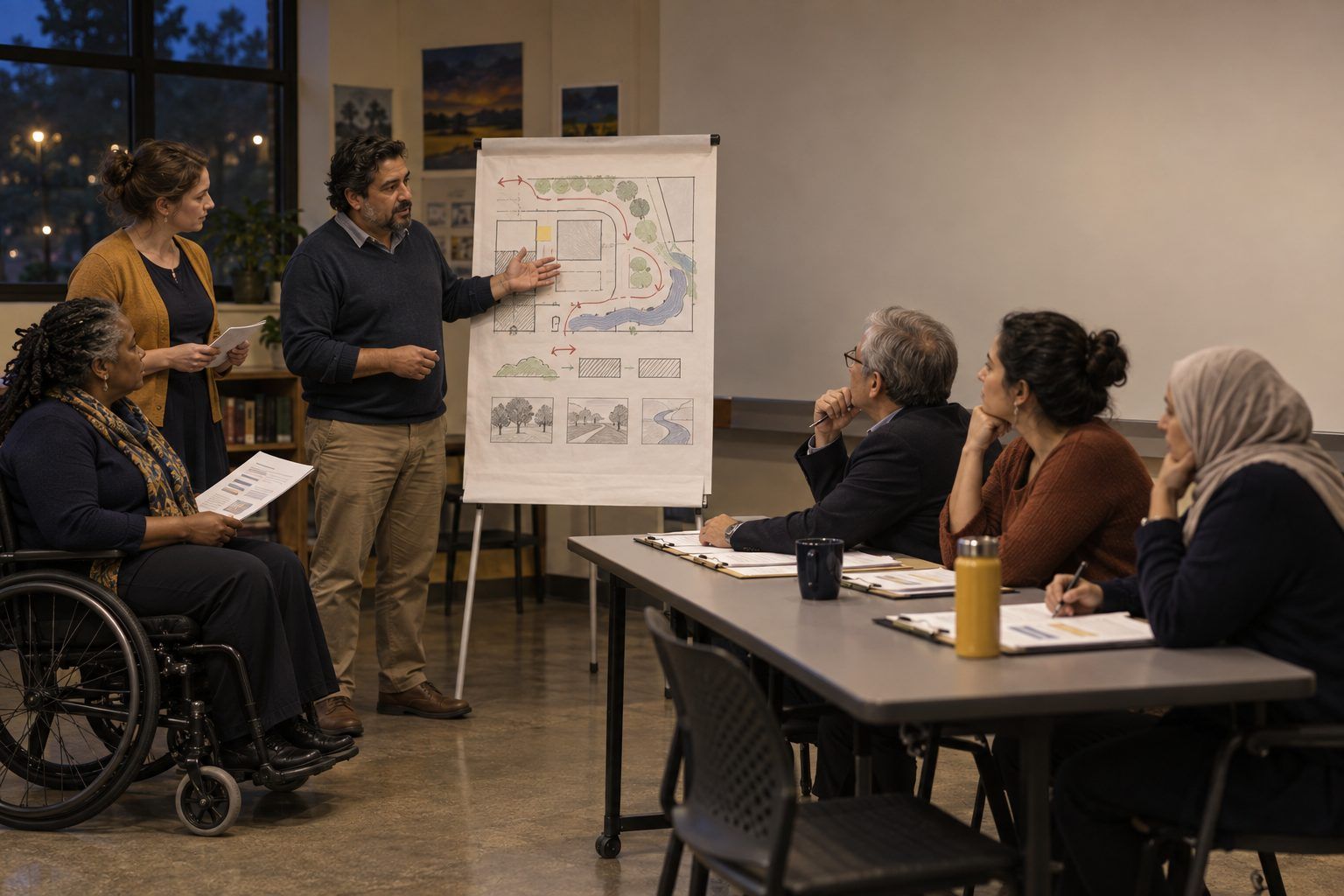
A team of educators pitches a hand-drawn project plan to a panel holding scoring rubrics.

All activities Professional learning

The AI Critic Tank

Teams design a solution to a local community problem by hand, invite an AI chatbot to tear it apart (as critic, never author), decide which critiques to accept, disclose the AI's role, and pitch to a panel.

Print handouts

Overview

When students use AI on a project, it too often writes the idea and the student decorates it. This session flips the roles. Teams of teachers, working as students, choose a problem in the fictional town of Cedar Bend, understand it, and design a solution entirely on their own. Only then do they ask an approved chatbot to act as a skeptical critic. They log every critique, accept, reject, or modify each one with a reason, revise, write an honest disclosure of how AI was used, and pitch to a "Tank" panel. The debrief turns the structure into a problem-solving project teachers can run with students.

Objectives

  • Participants will work through a problem-solving process (understand the problem, identify causes and stakeholders, design, test, revise) before using any AI tool.
  • Participants will use AI as a critic rather than an author, and justify accepting, rejecting, or modifying each AI critique.
  • Participants will write a clear AI-use disclosure statement and explain why transparency matters for academic integrity.
  • Participants will plan a student project that uses the same human-first, AI-as-critic structure and names the evidence of student problem solving.

Materials

On paper

  • Handout A: Cedar Bend Problem Cards (1 set, one card per team; backs printed as a facilitator key)
  • Handout B: AI Critique Log (1 per team)
  • Handout C: Tank Panel Rubric (1 per panelist, 1 per team)
  • Chart paper and markers for solution sketches; a timer

On screen

  • One device per team with access to a generative AI chatbot your district approves for adult use
  • Projector for the facilitator's critic-prompt demonstration
  • Optional: a shared document per team for the log and disclosure statement

Before you start

  1. Confirm that participants can reach a district-approved chatbot, and remind them not to enter any real student or personal information.
  2. Print Handout A and cut apart the cards. Teams choose one; two teams may take the same problem if you have more than eight.
  3. Test the critic prompt (in the Apply step) in your approved tool so you can show a sample critique. If the tool starts writing the solution instead, practice the follow-up: "Don't propose solutions. Only question ours."
  4. Recruit a panel of three (for example, a coach, a librarian, and an administrator), or plan for teams to take turns as panelists.

Step by step

  1. 10–5 min

    Hook

    Author or critic?

    Ask: "If a student uses AI to write the project idea and then does all the slides, who solved the problem?" Take two answers. Then say: "Today AI gets one job: critic. You're the authors. It can question you, but it can't write for you. And at the end, you'll tell the panel exactly what it did."

    Facilitator noteSet the rule clearly: no AI until the Apply step. Some teams will want to jump ahead. The waiting is part of the lesson.

  2. 25–20 min

    Explore

    Understand the problem

    Each team picks a problem card. On chart paper, they map it: Who is affected? (at least four stakeholders, including someone easy to overlook). What are the likely causes? (ask "why?" at least three times). What do we not know yet, and who would we ask? Teams end by writing a one-sentence problem statement: "___ need a way to ___ because ___."

    Facilitator noteThe facilitator key on each card lists stakeholders teams often miss. Offer one as a hint only if a team is stuck.

  3. 320–40 min

    Create

    Design it by hand

    Teams brainstorm at least five possible solutions, choose one using two criteria they set themselves (for example, cost and who benefits), and sketch it on chart paper: what it is, how it works, who does what, and how they'll know it worked. No devices. The facilitator circulates and asks, "What would the person most affected by this problem say about your idea?"

    Facilitator noteThis is the evidence of problem solving: the brainstorm list, the criteria, and the reasoning behind the choice. Have teams photograph or keep the chart; it becomes the baseline for comparing their revision.

  4. 440–55 min

    Apply

    Call in the critic

    Project and model the critic prompt: "You are a skeptical review panel for a community project. Here is our problem statement and our solution. Do not propose your own solution or rewrite ours. Ask us the five hardest questions a panel would ask, point out the three biggest weaknesses or risks, and name one group of people we may have overlooked." Teams type their problem statement and solution (no real names or personal information) and log each critique on Handout B: accept, reject, or modify, with a reason. If the chatbot starts writing solutions, teams redirect it and note that in the log.

    Facilitator noteLook for teams that reject a critique with a good reason, for example "it assumes families have cars; our stakeholder map shows many don't." Rejecting an AI critique thoughtfully is strong evidence of human judgment.

  5. 555–65 min

    Create

    Revise and disclose

    Teams revise the solution on the chart in a second color so changes are visible. Then they write an AI disclosure statement at the bottom of Handout B, for example: "We designed this solution ourselves. We used a district-approved AI chatbot as a critic: it asked us five questions and named three weaknesses. We accepted two critiques (added a Spanish-language sign-up and a rainy-day plan), rejected one (it assumed families drive), and modified one. The AI did not write any part of our solution or pitch."

    Facilitator noteMention that major style guides, such as MLA and APA, have published guidance on citing generative AI; students should follow whichever your school uses. A disclosure statement explains the role AI played, which a citation alone may not.

  6. 665–77 min

    Practice

    The Tank

    Each team gets 2 minutes to pitch and 1 minute for panel questions. Pitches must include the problem statement, the solution, one change made because of the AI critic and one critique they rejected, and the disclosure statement. The panel scores with Handout C. For more than six teams, run two panels at once.

    Facilitator notePanelists should ask at least one question about the rejected critique. That is where teams show their reasoning most clearly.

  7. 777–85 min

    Debrief

    As teachers: where was the thinking?

    Step out of role. Ask: "Where in the last hour did the real problem solving happen? What did the AI add that you wouldn't have gotten from a peer team? What did it get wrong? How would your students' work change if AI were the critic instead of the author?" Chart two columns: "Evidence of student thinking" and "Where AI helped or got in the way."

    Facilitator noteHonest answers help here. Some teams will say a peer critic would have been just as good. That's a legitimate finding: use AI only where it adds something.

  8. 885–90 min

    Transfer

    Plan the student version

    Each person writes a project plan for their students on the back of Handout C: the problem (from the school or community), when AI enters and in what role, what students log, and how they'll disclose. They name the one piece of evidence they'll grade most heavily. Suggestion: the critique log.

    Facilitator noteFor students under 13, the teacher runs the critic prompt on a projector with the class, and the class decides together which critiques to accept. No student accounts are needed.

Paper or screen

Unplugged

Replace the AI critic with a peer critic: each team passes its chart to another team, which answers the same critic prompt on paper (five hard questions, three weaknesses, one overlooked group). Teams log, accept, or reject those critiques on Handout B exactly as they would AI critiques, and the disclosure statement becomes a "feedback credit" naming the peer team. Everything else runs on chart paper.

Digital

Each team uses a district-approved chatbot in the Apply step only. Teams can keep the log and disclosure in a shared document so the facilitator sees every team's critiques side by side, and pitches can be recorded for teams to review. In a virtual session, run the Create steps on a shared whiteboard per team and the Tank in the main room. Participants never enter personal or student information into the chatbot.

Does it need a screen? The AI critic offers a fast, tireless outside perspective that often names risks and overlooked groups a team hadn't considered, and the critique log turns each accept or reject decision into visible evidence of judgment. The unplugged peer-critic version teaches the same structure; the AI version shows teachers how to keep AI in a supporting role when students have access to it.

Evidence of learning

What you should be able to see or collect if it worked.

  • Chart paper shows a human-made brainstorm, criteria, and solution before any AI use, and a revision in a second color after it.
  • Handout B includes at least one rejected or modified critique with a reason grounded in the team's stakeholder map or local knowledge.
  • Disclosure statements say specifically what the AI did and didn't do, not just "we used AI."
  • Student project plans name when AI enters, what role it plays, and which piece of evidence will be graded.

Adaptations

Grades 6–8 teachers
Use school-based problems (the lunch line, lost-and-found, hallway crowding) and have the teacher run the critic prompt on the projector for each team. The class votes on which critiques to accept, with reasons.
Higher Ed faculty
Use the structure for a capstone or design project and require a methods note describing the AI critique process, with the log as an appendix, alongside the citation style your discipline uses.
Librarians
Add a research step between Explore and Create in which teams find one reliable local source (city data, a news story, an interview) about their problem. Teams often find it changes their solution more than the AI critic does.
Shorter session (60 minutes)
Give each team a pre-written solution to critique instead of designing one, and skip to the Apply step. You lose some of the authorship, so note that in the debrief.

Standards connections

Teachers design a community solution by hand, then weigh AI critiques and write an honest disclosure, modeling the design process and ethical crediting students practice in Technology Applications.

TEKS
creativity and innovationethics and laws (c)(9)TEKS sections: Technology Applications §126.17–§126.19, high school Technology Applications courses (19 TAC Chapter 126)

See how all activities align

Reflect

  • How do I design lessons where students do the problem solving and AI supports, not replaces, their thinking? (Teacher ELE 5.3)
  • What would I accept as evidence that a student, not an AI, solved the problem?
  • How will I teach students to disclose AI use honestly, and make it safe for them to do so?

Take it to your students

Launch a short community or school problem-solving project with students using the same sequence: understand, design by hand, AI or peer critic, revise, disclose, pitch. Grade the critique log and revision, not just the final pitch, and bring three logs to your PLC to compare the quality of students' accept/reject reasoning.

Pairs well with