Activity Bank
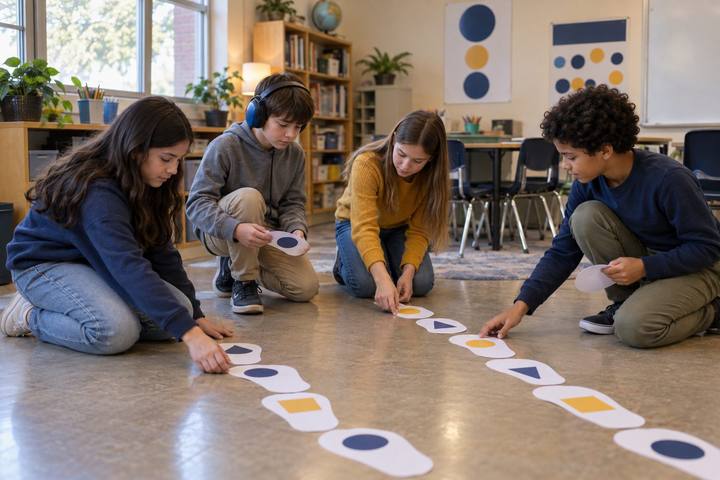
Fifth graders discuss a trail of paper footprints across their classroom floor.

All activities Student learning

The Family Tech Menu

A child and their family sort a week of real screen moments by what the screen was for, then build a balanced "tech menu" together, learning that purpose and mix matter more than minutes.

Print handouts

Overview

A lot of screen time happens on autopilot: the show that was already on, the game you open without thinking. This lesson gives families a calmer way to talk about screen use than counting minutes. Children sort everyday screen moments into four purposes, Create, Connect, Learn, and Unwind, and notice that a screen can earn its place or just fill time. They discover that a device used to make a video for Grandma is not the same as one used because there was nothing else to do, even if both take the same number of minutes. Then, at home, the child leads the family in building a "tech menu": a short, balanced plan of screen and no-screen choices for the week. The message is honest and nuanced: screens are not the enemy, and more is not automatically bad; what the screen is for, and what else the week holds, is what counts.

Objectives

  • Students will sort screen moments by purpose (create, connect, learn, unwind) and explain one sorting choice.
  • Students will explain the difference between screen use that earns its place and screen use that is just autopilot.
  • Students will lead a family in building a balanced weekly tech menu with at least one choice in each purpose plus no-screen time.
  • Students will set one personal screen-use goal they can check at the end of the week.

Materials

On paper

  • Handout A: What Was the Screen For? sort (1 per pair or group, cut apart)
  • Handout B: Our Family Tech Menu (1 per student, taken home)
  • Handout C: My Week Check (1 per student, taken home)
  • Crayons or markers

On screen

  • Optional: a document camera or projector to model the sort with the class
  • Optional: a family might keep the finished menu as a photo on a parent's phone instead of on the fridge

Before you start

  1. Print and cut one set of Handout A per pair or group.
  2. Print Handout B and Handout C for every student to take home.
  3. Read the family note at the top of Handout B and add your name so families know who to ask with questions.
  4. Decide how children will share results next week (a quick circle, a wall of menus, or a one-line note).

Step by step

  1. 10–4 min

    Hook

    Two kinds of twenty minutes

    Tell two quick stories. "Yesterday, Sam spent twenty minutes making a stop-motion video with cereal boxes and sent it to his cousin." "Today, Sam spent twenty minutes watching clips he barely remembers, because the tablet was just there." Ask: "Same twenty minutes. Were they the same?" Let children argue. Land the idea: it is not only how long we use a screen, it is what the screen was for.

    Facilitator noteChildren have heard "too much screen time" a lot. Signal early that this lesson is not about guilt or a magic number; it is about noticing the purpose.

  2. 24–13 min

    Explore

    What was the screen for?

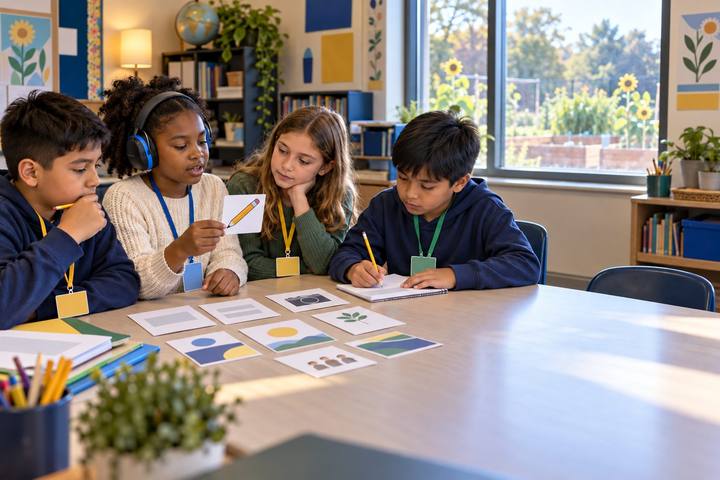
    In pairs or groups, children read the Handout A cards and sort each screen moment into one of four purposes: Create (make something), Connect (be with people), Learn (find out or practice), or Unwind (rest and relax). Then flip each card: on the back a small note tells whether this one usually earns its place or is often autopilot. Groups talk about any they disagree on. Debrief: "Which purpose had the most cards in your pile? Which is easiest to do on autopilot?"

    Facilitator noteUnwind is a real, healthy purpose, not a bad one. Resist letting children rank Create as "good" and Unwind as "bad." The point is balance across all four, plus noticing autopilot.

  3. 313–18 min

    Model

    Building one menu together

    Show Handout B on a document camera or draw it on the board. Think aloud as you fill one row for a pretend family: "For Create, maybe one afternoon we make a photo slideshow of our trip. For Connect, a video call with Tía on Sunday. For Learn, a cooking video we actually cook from. For Unwind, one show we pick on purpose, not just what autoplays. And here, our no-screen choices: bike, library, board game." Point out the menu is balanced and chosen on purpose, not a list of bans.

    Facilitator noteModel naming a specific stop plan for Unwind ("one show, then we're done") so children see that choosing on purpose includes choosing when to stop.

  4. 418–28 min

    Apply

    Start my family's menu

    Children begin their own Handout B, writing or drawing one real idea in each purpose and two no-screen choices their family could actually do this week. Circulate and ask two or three children, "Why did your family pick that one? Does it earn its place?" Write their words on the page as evidence. Remind them the menu is not finished yet: the last step is to bring it home and decide it with their family, who may add, change, or trade ideas.

    Facilitator noteKeep choices open and low-cost (a walk, a borrowed library book, helping cook) so children with little device access or little free time at home can still make a real plan.

  5. 528–32 min

    Reflect

    One goal, one check

    Each child writes one screen-use goal on Handout C, for example: "Pick my show on purpose instead of autoplay," or "Make one thing instead of only watching." Explain that next week they will check how it went, not to get a grade, but to notice. Close: "A screen earns its place when it helps us make, connect, learn, or truly rest, and when we choose it instead of it choosing us."

    Facilitator noteGoals should be about how screens are used, not just cutting time, so a child who already has little access is not set up to "win" by doing nothing.

Paper or screen

Unplugged

The whole lesson runs with no devices: paper sort cards, a printed menu, and a goal card. The sorting, the family menu, and the week check all happen on paper and in conversation. This is the intended way to run it.

Digital

A family that prefers it can keep the finished menu as a photo on a parent's phone, or type it into a shared notes app so everyone sees it. A class could also build a shared anonymous tally of which purpose had the most "autopilot" cards, to compare patterns, with no personal screen data collected.

Does it need a screen? This one is better unplugged. The learning is a family conversation about purpose and balance, and paper keeps it device-free, private to the home, and easy for every family to join regardless of what devices they own.

Evidence of learning

What you should be able to see or collect if it worked.

  • Children place cards by purpose and can name at least one that is usually "autopilot" versus one that "earns its place."
  • Children explain that two equal amounts of screen time can differ because of what the screen was for.
  • Menus include at least one choice in each purpose and two no-screen choices the family could realistically do.
  • Goals focus on how screens are used (choosing, creating, stopping), not only on using screens less.

Adaptations

Grade 3
Use two purposes first (Create and Unwind), sort eight cards, then add Connect and Learn. Children draw menu ideas instead of writing them.
Grade 5
Add a "minutes guess" column: children estimate how long each menu choice takes and whether their week feels balanced, then revisit the guess after the week.
Emergent bilinguals
Let children sort by talking in their home language and accept menu entries in any language. Pair the four purpose words with simple icons on the sort mat.
Families with limited device access
Treat shared or library devices as fair game, and let a mostly no-screen week be a strong, valid menu. The goal is balance and purpose, not a set amount of screen use.

Standards connections

Students classify everyday screen use by purpose and set a balance goal with family, the balance-and-wellbeing substrand of digital citizenship, deciding when a screen earns its place.

TEKS
privacy, safety, and security (c)(10)social interactions (c)(8)TEKS sections: Technology Applications §126.8–§126.10

See how all activities align

Reflect

  • What is a screen moment in your week that truly earns its place? How do you know? (Student ELE 4.1: I take responsibility for my own learning.)
  • When are you most likely to use a screen on autopilot? What could you choose instead?
  • How was deciding the menu with your family different from deciding it alone? (Student ELE 3.2: I can communicate my ideas clearly to others.)

What comes next

Children finish the tech menu at home with their family, then bring back the Week Check to a class circle the following week to share one thing that worked and one thing they changed. Families are invited to keep using the menu and update it for the next week.

Pairs well with