Professional learning · Leaders, Staff, Librarians · 90 minutes
Designing a Family AI & Digital Citizenship Night
Campus teams design a family event where parents and kids try things together, check what AI tells them, and go home with conversations to have, not just rules to follow.
Families are hearing about AI, deepfakes, and screen time from every direction, often in alarming headlines. A family night can replace fear with practice, if it's designed for participation rather than a slideshow in the cafeteria. In this session, campus teams first experience two sample stations as families would, then choose and adapt stations from a menu, plan for the families least likely to attend, line up community partners, and customize a printable take-home that works even for families who never come. The measure of success is what families do at home the following week.
In this packet
- Handout A: Station Menu Cards (cut-apart cards)
- Handout B: Family Night Planning Canvas (worksheet)
- Handout C: Take-Home: Five Conversations About AI and Life Online (reading)
- Facilitator key (last page)
TCEA ELE indicators
- L5.1 I know how to build strong digital partnerships with families and community organizations.
- L5.3 I am aware of strategies to leverage online community resources to support student learning.
- L4.1 I know how to create a positive and inclusive digital learning climate.
- AI1.2 I can explain AI concepts in simple terms to various stakeholders.
Full facilitator guide: mglearn.github.io/eles/activities/family-ai-night-design.html
Handout A for Designing a Family AI & Digital Citizenship Night
Station Menu Cards
Choose three or four stations for your night. Backs list materials and tips for making each station accessible.
Station 1 · Media literacy
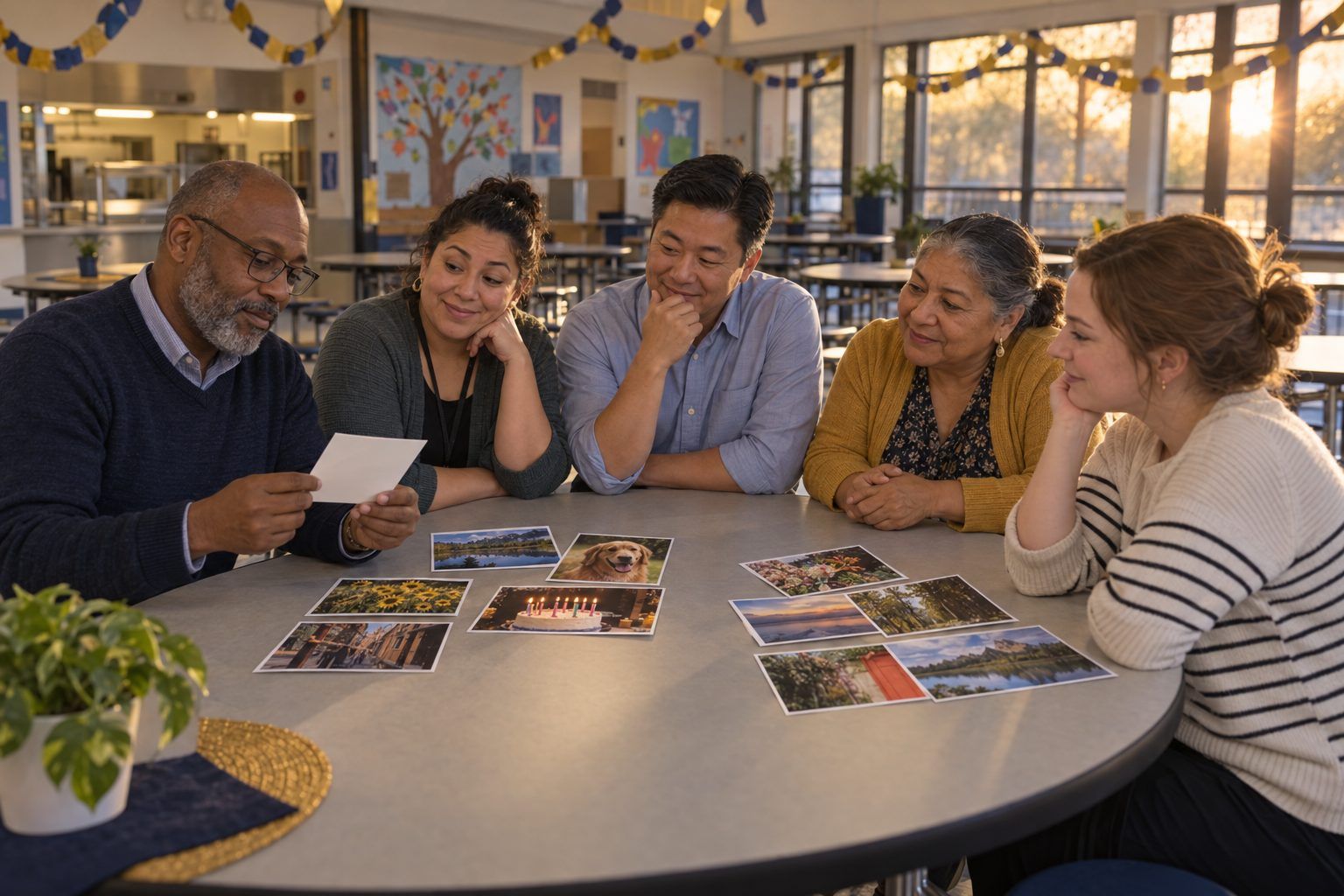
Real or Generated? Families sort 10 printed photos into "real" and "AI-generated," then flip them to check. Discussion: "What would you do before sharing a surprising photo?" Takeaway: check who posted it and whether trusted sources show the same thing.
Station 2 · Privacy
What Does This App Know? Families look at a printed permissions screen for a fictional game app (location, contacts, microphone, camera) and decide which permissions it really needs. Then they check one app on their own phone, if they choose.
Station 3 · Generative AI
Ask It, Then Check It. A staff member asks a chatbot a question about your town or school, projected on screen. Families circle anything that might be wrong on a printout, then compare with the real facts. Takeaway: chatbots predict likely words; they can sound sure and still be wrong.
Station 4 · Homework and AI
Helper or Ghostwriter? Families sort cards describing ways a student might use AI on homework (brainstorming, checking spelling, writing the whole essay, explaining a math step) into "helps learning," "depends on the teacher," and "replaces learning."
Station 5 · Balance
Our Family Tech Agreement. Families draft a short agreement together: where devices sleep at night, device-free times, and what to do if something online feels wrong. Parents agree to rules too.
Station 6 · Safety
Is This Message Real? Families look at printed text messages and emails (a fake package delivery, a fake school alert, a real reminder from the school) and decide which to trust. Takeaway: check the official channel before clicking.
Station 7 · Feeds
Why Did I See That? Students show their family how a video feed chooses what to show next, using a card game where each "like" changes the next card. Families discuss what feeds reward.
Station 8 · Community resources
Help Beyond Tonight. A table staffed by community partners: the public library's free device and internet programs, adult computer classes, low-cost internet information, and the school's family liaison.
Handout B for Designing a Family AI & Digital Citizenship Night
Family Night Planning Canvas
Plan for the families least likely to come, not only those who always do.
Our goal: what should families do differently the week after this event?
Family questions from the wall that our event will answer:
Our stations (3–4), what families and kids do together at each, and who runs it:
Who might be left out, and how we'll reach them (time, place, childcare, food, transportation, languages, accessibility, participation without attending):
Community partners and online resources we'll connect families to:
How families will hear about it (channels, languages, who invites them personally):
How we'll know what families did afterward (evidence beyond attendance):
First partner we'll contact, who will call, and by when:
Handout C for Designing a Family AI & Digital Citizenship Night
Take-Home: Five Conversations About AI and Life Online
A sample for families. Add your school's contact information, local resources, and translations before sending it home.
1You don't need to be a technology expert to help your child make good choices online. The most powerful thing you can do is talk. Here are five conversations to try this week, at dinner, in the car, or before bed. Each one starts with a question you can ask, and none of them has a single right answer.
21. "How do you think a chatbot comes up with its answers?" AI chatbots have read huge amounts of text and learned which words usually come next. When you ask a question, they predict a likely-sounding answer. That's why they can sound very sure and still be wrong. Try asking one together about something you know well, like your family's hometown, and see what it gets right and wrong.
32. "When is it okay to use AI for homework?" Every teacher may have different rules for each assignment. Ask your child what their teachers say. A good rule of thumb: using AI to understand something or get ideas can help learning; using it to do the thinking for you usually doesn't. If your child used AI, they should be able to explain what they asked and what they changed.
43. "How can we tell if a photo or video is real?" Pictures, videos, and even voices can now be created or changed by AI, and they can look and sound very real. Before believing or sharing something surprising, stop and check: Who posted it first? Are trusted news sources or official accounts saying the same thing? If you can't tell, don't share it.
54. "What does this app know about you?" Many apps collect information like location, contacts, photos, and what you type. Look at the settings of one app your child uses, together. Ask: Does it need this? Who can see what I post? Remind your child never to share passwords, home address, or private photos, and never to type personal information about others into a chatbot.
65. "What should we do if something online feels wrong?" Agree on a plan before anything happens: your child can come to you, or another trusted adult, without fear of losing their device. Save what happened (a screenshot) instead of deleting it, don't respond to someone who is being cruel, and tell an adult. You can also contact your child's school counselor.
7Try this as a family: Choose one device-free time each day, such as meals or the hour before bed, and one place where devices sleep at night. Grown-ups follow the rule too.
8Where to learn more: Your public library offers free help with computers and the internet, and many libraries have devices and hotspots to borrow. Questions about how your child's school uses technology or AI? Contact your child's teacher or the front office. Official school news always comes through the school's own website, messaging app, and phone calls.
Facilitator only for Designing a Family AI & Digital Citizenship Night
Answer key and notes
Handout A: Station Menu Cards
- Station 1 · Media literacy
- Materials: 10 printed photos, answers on the back. Tip: include real photos that look strange and generated ones that look ordinary. Works with no reading, so it's great for multilingual and young families.
- Station 2 · Privacy
- Materials: printed permissions screen, a volunteer who can help with phone settings. Tip: never ask families to hand over their phones. Offer help only if they want it.
- Station 3 · Generative AI
- Materials: projector, approved chatbot, printed answer, correct facts. Tip: staff drives the tool; families don't need accounts. Choose a question the tool is likely to get partly wrong.
- Station 4 · Homework and AI
- Materials: 12 use-case cards, a sorting mat, and your campus's AI guidance in plain language. Tip: invite a teacher to explain how assignments tell students what's allowed.
- Station 5 · Balance
- Materials: agreement template, markers. Tip: frame it as a family choice, not a school rule. Families take the agreement home.
- Station 6 · Safety
- Materials: printed messages with fictional senders. Tip: include a real example of how your school actually communicates, so families learn what genuine messages look like.
- Station 7 · Feeds
- Materials: a deck of video-topic cards. Tip: best run by secondary students teaching adults.
- Station 8 · Community resources
- Materials: partner handouts in home languages. Tip: invite partners to bring sign-up forms so families leave with a next step, not just a brochure.