Activity Bank
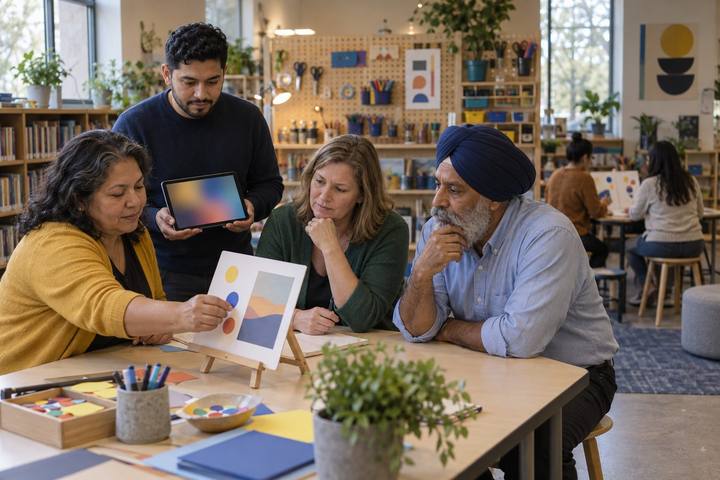
Faculty members test how easily a student could find things in a printed mock online course.

All activities Professional learning

LMS Tidy-Up: Courses Students Can Find Their Way Through

Educators run a student-eye findability test on a messy mock course, then tidy their own with consistent modules, one home for due dates, accessible files, and a check on any AI-generated materials.

Print handouts

Overview

When students can't find the assignment, the rubric, or the due date, the course has become a scavenger hunt, and the students who struggle most with organization, language, or access pay the highest price. In this session, participants play students trying to complete five everyday tasks in a deliberately messy mock course, counting clicks and dead ends. They then tidy it using a shared checklist: consistent module structure, predictable names, one place for due dates, accessible files, and fewer clicks. Finally they check an AI-generated course page before posting and plan a findability test with real students in their own course.

Objectives

  • Participants will run a student-eye findability test on a mock course and record clicks, dead ends, and where they looked first.
  • Participants will redesign a course structure using a consistent module template, predictable naming, and a single home for due dates.
  • Participants will identify accessibility barriers in course files and pages and name a fix for each.
  • Participants will review AI-generated course materials for accuracy, alignment, and accessibility before posting, and plan a findability test with their own students.

Materials

On paper

  • Handout A: Ms. Varga's Course, As Students See It (1 per pair)
  • Handout B: Findability Test (1 per pair, plus 1 per person to take back to their own course)
  • Handout C: Course Tidy-Up Checklist (1 per person)
  • Sticky notes and chart paper for sketching a module template

On screen

  • Participants' own devices with access to a course in your learning management system (edit access to their own course, or a sandbox course)
  • Optional: a student-view or preview mode in your learning management system
  • Optional: a generative AI chatbot your district approves, for the facilitator to generate a sample course page on the projector

Before you start

  1. Print Handouts A–C. If possible, rebuild Handout A as a messy sandbox course in your learning management system so the digital path has a live version.
  2. Learn where your learning management system keeps its student-view mode, calendar or to-do list, and any built-in accessibility checker, so you can point people to them.
  3. Invite participants to bring a course they teach and, if they can, the names of two or three students willing to try a findability test next week.
  4. Check your district guidance on posting AI-generated materials in courses, so you can name it during the AI review step.

Step by step

  1. 10–5 min

    Hook

    Where's the rubric?

    Ask everyone to stand. Say: "Think about the last time you logged into a course or site you didn't build, like a benefits portal or a conference app, and couldn't find what you needed. Sit down when you've remembered how it felt." Then: "That's what a disorganized course feels like to a student, every day." Hand out Handout A and say: "For the next 12 minutes, you're a student in Ms. Varga's ninth-grade biology course."

    Facilitator noteHigher Ed faculty relate quickly to this. Swap "ninth-grade biology" for an intro course if your room is mostly faculty.

  2. 25–17 min

    Explore

    Findability test as a student

    In pairs, one person is the Student and one is the Observer. The Student tries each of the five tasks on Handout B using only the course map on Handout A, tracing the path with a finger and saying each "click" aloud. The Observer counts clicks, notes where the Student looked first, and records any dead ends. Swap roles halfway. Pairs mark whether each task was found and how confident they are that it's the right item.

    Facilitator noteThe ah-ha is usually Task 1: there are three different due dates for the same lab in three places. Listen for "Which one is right?"

  3. 317–23 min

    Debrief

    What made it hard, and for whom?

    Collect click counts for each task on chart paper. Ask: "What patterns made tasks hard? Which students would struggle most with this course?" Draw out: inconsistent module names, files named "Document1," due dates in several places, scanned image-only files, videos with no captions, and important information buried in announcements. Connect it to inclusive teaching: a predictable structure helps everyone and is essential for some.

    Facilitator noteName the students who are often left out: those who are new to the course or the country, those using a screen reader or a phone, and those with executive function challenges.

  4. 423–29 min

    Model

    Think aloud: one module, tidied

    Sketch a module template on chart paper while you think aloud. "Every week looks the same: 1. Start Here (a two-sentence overview and what's due), 2. Learn (readings and videos, each with captions or a transcript), 3. Do (assignments, each with its rubric attached), 4. Check (a quick self-check or exit ticket). Names follow one pattern: 'Week 3 · Lab: Cell Membranes.' Due dates live in the assignment itself, so they appear in the calendar and to-do list automatically. I never type a due date anywhere else." Show how that reduces Task 1 to two clicks.

    Facilitator noteThe template matters less than the consistency. If a team already uses a different structure, keep theirs and make it predictable.

  5. 529–37 min

    Practice

    Check the AI-generated page

    Read Page 6 on Handout A: a "Week 4 overview" Ms. Varga generated with an AI tool. Tables check it against three questions: Is it accurate? (dates, vocabulary, and claims match the course and the real content), Is it aligned? (it describes what students will actually do), and Is it accessible? (headings, readable language, descriptive links, alt text). Tables list every fix and decide: post as is, post after edits, or don't post.

    Facilitator noteMost tables find a wrong due date, an assignment that doesn't exist, a vague "click here" link, and reading level that's higher than needed. The point: AI can speed up drafting, but the teacher is accountable for what students see.


  6. 637–52 min

    Apply

    Tidy your own course

    Participants open their own course (or a sandbox) and use Handout C to tidy one module or one week: apply the template, rename items with the naming pattern, move all due dates into the assignments, fix one file for accessibility, and remove any duplicate or outdated item. Without devices, they sketch their current module on sticky notes and rearrange it on chart paper. Coaches circulate and ask: "How many clicks now? Where would a student look first?"

    Facilitator noteCoaches: this is a co-planning moment. Note which teachers want a follow-up visit to finish the course, and schedule it before they leave.

  7. 752–60 min

    Transfer

    Plan a real student findability test

    Each person fills in the bottom of Handout B: which two or three students they'll ask to try the five tasks next week (in student view, while the teacher watches without helping), what they'll measure (clicks, time, dead ends, confidence), and what they'll change based on what students do. Pairs share: "What will count as evidence that the tidy-up helped students?"

    Facilitator noteThis is the ELE question: the evidence isn't a prettier course, it's students finding what they need and adapting to the platform on their own.

Paper or screen

Unplugged

The whole findability test runs on the printed course map in Handout A: participants trace paths with a finger, count clicks aloud, and log results on Handout B. The redesign happens with sticky notes on chart paper, one note per course item, rearranged into the template. The AI review uses the printed page. Participants take Handout C back to their course later.

Digital

If you rebuild Handout A as a sandbox course, pairs run the findability test live in student-view mode and record real clicks. Participants then tidy one module of their own course, use the platform's calendar or to-do list to confirm due dates appear in one place, and run any built-in accessibility checker. The facilitator can generate a sample course page with an approved AI tool on the projector and have the room review it before "posting."

Does it need a screen? A live student-view test turns a vague sense that a course is "a little messy" into hard evidence: click counts, dead ends, and the moment a student gives up. That evidence, repeated with real students, is what shows whether the tidy-up improved learning, not how the course looks.

Evidence of learning

What you should be able to see or collect if it worked.

  • Handout B shows click counts and dead ends for each task, and participants explain which course features caused the problems.
  • Tidied modules follow one consistent template and naming pattern, with due dates set only inside assignments.
  • Participants identify at least three problems in the AI-generated page (accuracy, alignment, accessibility) and fix them before deciding to post.
  • Each participant leaves with a findability test planned with real students and a named measure of success.

Adaptations

Elementary teachers
Focus on a single "Today" page with picture icons and read-aloud directions, and run the findability test with a student as the driver while the teacher only observes.
Higher Ed faculty
Add a syllabus and grading-policy task to the findability test, and discuss consistency across sections of the same course taught by different faculty.
Coaches
Use the Findability Test as the "measure" step of a coaching cycle: listen to a teacher's goal, co-plan the tidy-up, model one module, measure with students, adjust.
Librarians
Add a task that asks students to find the research databases and citation help, and co-plan a consistent "Research Help" item with teachers across a department.

Standards connections

Educators run a findability test and reorganize a course so students can find due dates, directions, and accessible materials without extra help.

See how all activities align

Reflect

  • How am I adapting my course design so students with diverse needs can find and use what they need? (Teacher ELE T3.2)
  • How am I guiding teachers to use the learning management system in ways that improve learning, not just add content? (Coach ELE C2.1)
  • What evidence from students will tell me the course is easier to navigate and that they can adapt to the platform on their own?

Take it to your students

Next week, run the Findability Test with two or three students in student view and change one thing based on what you see. Share before-and-after click counts with your coach, team, or department, and agree on a shared module template if students move between your courses.

Pairs well with