Student learningfor Grades K–2
Ask Two
A confident robot helper says things that are sometimes right and sometimes wrong, and children become learning owners by checking each answer in two places before they believe it.

All activities Student learning
Students do one thinking task by hand and a matching one with AI, then take a no-notes challenge that reveals what they actually learned, surfacing cognitive offloading, when a tool helps you think and when it thinks instead of you.
AI can hand you an answer in seconds, which feels like progress but can quietly do the thinking you were supposed to do yourself. This lesson makes that trade visible. Pairs complete two short, similar thinking tasks: one by hand and one where an approved AI does most of the work. Right after, each student faces a short no-notes, no-AI challenge on both topics, and they discover they can usually explain and extend the one they struggled through, but go blank on the one the AI handled. The class names this pattern as cognitive offloading and sorts when offloading is smart (a calculator for arithmetic you already understand) from when it robs you of learning (letting AI reason through something you were trying to learn). The stance is balanced: AI is not banned and not magic. The question students leave with is the one the ELEs ask, what evidence shows the tool improved my learning, not just my output?
Hook
Ask: "If a tool gives you the right answer in two seconds, did you learn anything?" Take a few votes and reasons. Tell students today they will run an experiment on their own brains: do one task the hard way and one the easy way, then see which one actually stuck. Promise no grade on the tasks themselves, only on what they notice.
Facilitator noteStudents expect to be told AI is bad. Subvert that: frame it as an honest experiment where they are the researchers studying their own learning.
Explore
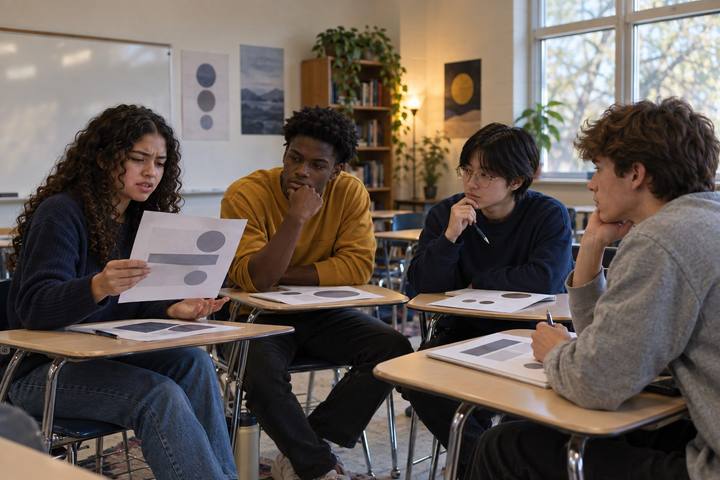
Pairs complete Task 1 on Handout A using only their heads, notes, and each other, for example reasoning through why a short argument is flawed, or working out a multi-step word problem and explaining each step. Circulate and listen for the struggle, the false starts, the "wait, no" moments. Tell them that struggle is the brain doing the work.
Facilitator noteChoose a Task 1 that requires reasoning students can do but not instantly. The productive struggle is the point; rescue only if a pair is truly stuck.
Explore
Now pairs do Task 2, a similar-level task, but this time they ask the approved AI to solve and explain it, and simply copy the result onto Handout A. Tell them explicitly: do not fight the AI or improve it, just let it do the thinking. They will finish fast and feel efficient. Note that feeling out loud: "That was quick. Hold on to how little effort that took."
Facilitator noteResist the urge to let them critique the AI here; that would re-engage their thinking. The contrast depends on them genuinely offloading this one.
Practice
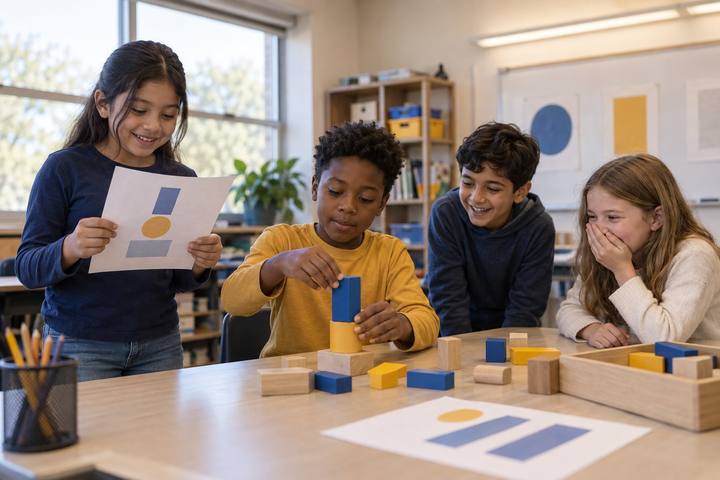
Collect Handout A. Hand out Handout B: a short individual challenge, no notes, no AI, that asks each student to explain the reasoning behind both tasks and solve one small new variation of each. Watch what happens: most can reconstruct Task 1 (the hand one) and stall on Task 2 (the AI one). Let the silence land before the debrief.
Facilitator noteThis is the evidence moment. Keep it low-stakes and private; the goal is self-insight, not embarrassment. Some students will surprise themselves.
Debrief
Debrief: "Which task could you explain and extend? Which went blank? Why?" Introduce the term cognitive offloading, handing a mental task to a tool. Then pairs run Handout C, sorting examples into smart offload (a map app once you can already read a map, a calculator for arithmetic you understand) and sorry offload (letting AI reason through a problem you were trying to learn to solve). The rule they build: offload what you have already mastered or never needed to learn; keep the thinking that is the actual point of the lesson.
Facilitator noteHold the nuance. Offloading is not evil, overreliance on it for the exact skill you are trying to build is the trap. Let students articulate that line themselves.
Reflect
On the lower section of Handout B, each student writes one personal rule for AI, for example: "When I'm learning something new, I try it myself first and use AI to check, not to start," or "I never let AI explain something I'll be tested on until I've explained it myself." A few share. Close on the ELE question: "The real test isn't whether the answer is right, it's whether I can now do the thinking myself."
Facilitator notePush rules toward when and how, not whether. A rule like "never use AI" is unrealistic; "do the thinking first, then use AI to check" is a habit they can keep.
Run it fully unplugged by replacing the AI in Task 2 with a prepared answer key: pairs copy a complete, correct worked solution from a card instead of generating one. The effect is the same, they offload the thinking to a ready-made answer, then discover on the no-notes challenge that copying did not teach them. The sort and the thinking rule need no devices.
With devices, the approved AI makes Task 2 feel authentic and fast, which strengthens the contrast with the no-notes challenge. For students under 13, run the AI on a projector; for older students where allowed, one approved shared device per pair, no personal accounts. The point is to let the AI genuinely do the work, then study the cost.
Does it need a screen? The digital path earns its place by producing the real, seductive experience of a fast AI answer, so the no-notes challenge can expose what it cost. But because the learning is the contrast, the prepared-answer-key version teaches the same lesson, which is why an unplugged path works just as well.
What you should be able to see or collect if it worked.
Students compare a task done by hand with one done by AI, then test what they retained, surfacing cognitive offloading and when a tool helps or replaces their thinking.
Students post their thinking rule in their notebook and apply it on the next assignment that tempts them to let AI start the work. In a follow-up, the class revisits the rules: which held, which were too strict or too loose, and what evidence showed the AI helped learning rather than replacing it.