Activity Bank
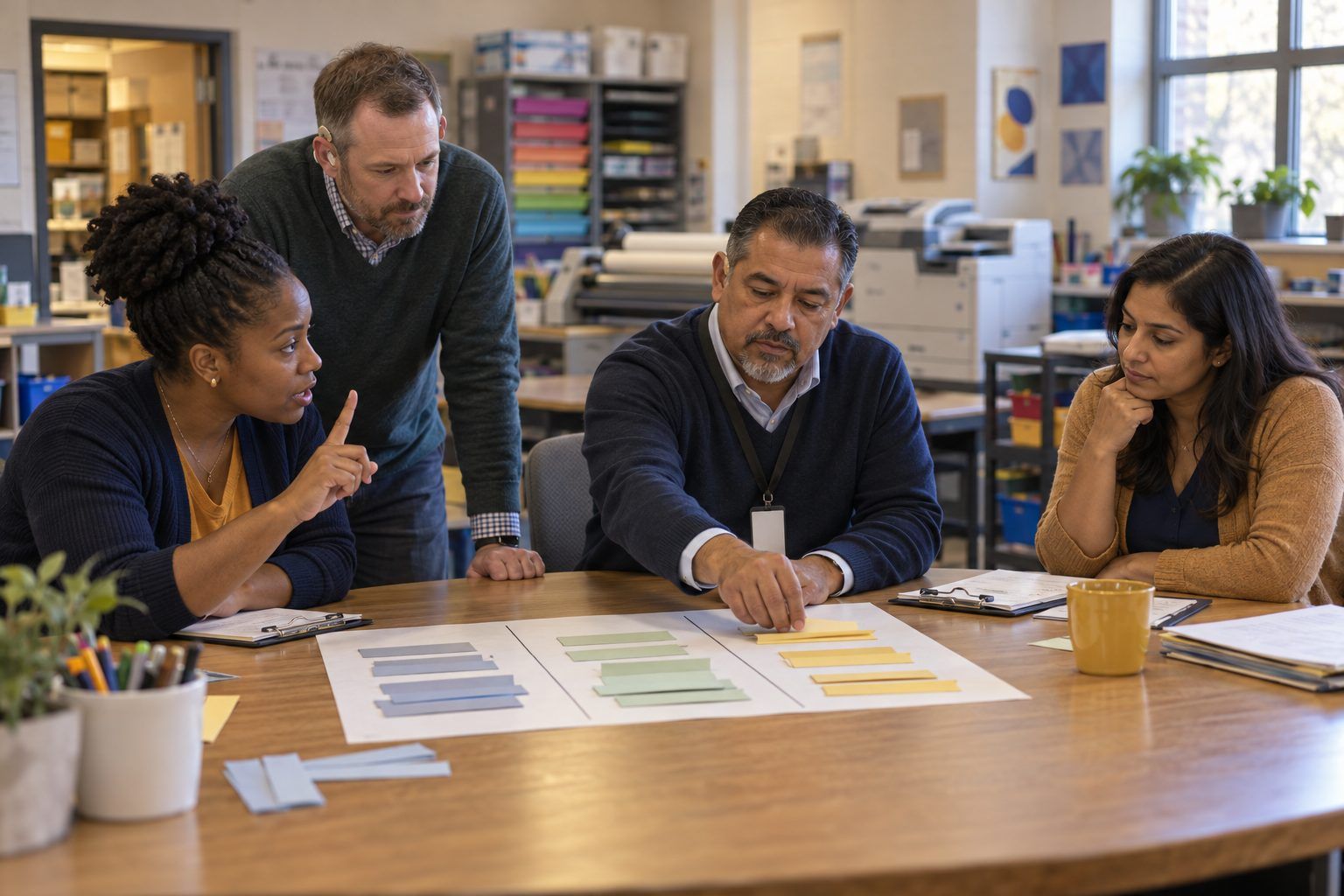
A principal and his leadership team debate where to place walkthrough notes on a three-column sorting mat.

All activities Professional learning

Look-Fors That Look for Learning

Leaders sort walkthrough notes, practice on three classroom vignettes, and rebuild their technology observation tool so it captures evidence of learning instead of counting devices.

Print handouts

Overview

Many walkthrough forms still ask "Are students using technology?" and a yes feels like success. The updated ELEs say plainly that technology use by itself is not evidence of learning. In this session, leaders sort real-sounding walkthrough notes into evidence of learning versus evidence of device use, calibrate on three classroom vignettes (including one with generative AI), and revise a starter observation rubric so it asks what students are thinking, verifying, and deciding. They leave with a tool they can pilot in next week's walkthroughs.

Objectives

  • Participants will distinguish walkthrough observations that show evidence of learning from those that show only device or tool use.
  • Participants will calibrate their ratings on three classroom vignettes and explain the evidence behind each rating.
  • Participants will revise an observation rubric so its criteria name student thinking, verification of information and AI output, and access, and pilot one criterion within a week.

Materials

On paper

  • Handout A: Walkthrough Notes Sort (1 mat and 1 set of strips per team)
  • Handout B: Three Classroom Vignettes (1 per person)
  • Handout C: Starter Look-For Rubric (1 per person, plus 1 enlarged per team for revision)
  • Your campus's current walkthrough form (1 per team), highlighters in two colors

On screen

  • Optional: two or three short classroom video clips your district has permission to use, as a substitute for or addition to Handout B
  • Optional: a digital form version of the revised rubric for piloting on a phone or tablet during walkthroughs

Before you start

  1. Print and cut Handout A into strips; one envelope per team.
  2. Collect your campus's current technology walkthrough form, or any district observation tool, and remove any teacher names from sample completed forms.
  3. If you use video, preview clips for student privacy and permissions. Never use video of students without the district's media release process.
  4. Decide which days next week leaders will pilot the revised rubric so the Transfer step ends with a real date.

Step by step

  1. 10–8 min

    Hook

    What does your form count?

    Teams look at their current walkthrough form and highlight in one color every item that could be checked just by seeing a device or app ("Students are using technology," "Teacher uses interactive display"). In the other color, highlight every item that requires seeing student thinking. Ask: "Which color is winning?"

    Facilitator noteIn most rooms, device-use items outnumber learning items. Don't shame the form; many were written when access itself was the goal. The goal has changed.

  2. 28–22 min

    Explore

    Sort the notes

    Teams sort the 14 walkthrough note strips from Handout A into three columns: Evidence of learning, Evidence of device use only, Needs more context. For every "Needs more context" strip, write the one question you'd ask a student to find out. Check against the facilitator key and discuss any disagreements.

    Facilitator noteThe "Needs more context" column is where leaders learn the most. "Students are using an AI chatbot" tells you nothing until you ask a student what they're doing with its answer.

  3. 322–30 min

    Model

    The two-minute student conversation

    Model how to gather learning evidence during a short visit. Role-play with a volunteer playing a student from Vignette A. Ask three questions aloud: "What are you working on and why?" "How do you know that's right?" "What did you change and what made you change it?" Point out that none of these questions mentions the device.

    Facilitator noteLeaders often observe from the back of the room. Evidence of learning usually requires kneeling beside a student and asking.

  4. 430–50 min

    Practice

    Calibrate on three vignettes

    Each person reads the three vignettes on Handout B and scores each using the Starter Look-For Rubric (Handout C), writing the specific evidence from the vignette beside each score. Teams then compare scores criterion by criterion. Where scores differ by more than one level, the team rereads the vignette and agrees on what evidence would settle it.

    Facilitator noteVignette C (the tablet reading station) is designed to score high on device use and low on learning evidence. Vignette B (the paper-only lesson) has no devices at all and scores well on several criteria. Both are intentional.

  5. 550–72 min

    Create

    Rebuild the rubric

    Using the enlarged Handout C, teams revise the starter rubric for their campus. They may reword, cut, or add criteria, but each criterion must pass two tests: (1) It can be scored only by seeing or hearing student work or talk. (2) It fits a lesson with no devices as well as one with many. Teams add one research-based practice their campus already values (for example, timely feedback, retrieval practice, or students explaining their reasoning) as a criterion or a descriptor.

    Facilitator noteKeep the tool short. Four or five criteria that leaders actually use are better than twelve they skim. Remind teams that a walkthrough tool supports coaching conversations; it should not become a compliance checklist.

  6. 672–82 min

    Debrief

    Stress test with a colleague's eye

    Teams swap rubrics and score Vignette A again with the other team's version. Ask: "Did this rubric capture what mattered in the vignette? What would a teacher learn from receiving this feedback?" Each team takes back one suggestion.

    Facilitator noteListen for rubrics that still reward AI use as a good in itself. The question is whether students questioned and verified the AI output, and whether the AI made their thinking more visible or did the thinking for them.

  7. 782–90 min

    Transfer

    Pilot plan

    Each team chooses one criterion to pilot in walkthroughs next week, names who will visit which classrooms, and agrees on how they'll share the evidence with teachers as a coaching conversation. Write the pilot plan on the back of Handout C.

    Facilitator noteSuggest leaders tell teachers in advance what the pilot criterion is. Transparency makes it a shared learning goal rather than a surprise evaluation.

Paper or screen

Unplugged

The sort, vignettes, and rubric revision all run on paper, and the two-minute student conversation is a live role-play. Leaders can pilot the revised rubric on a clipboard. Nothing in the session requires a device.

Digital

Replace or supplement the written vignettes with two or three short classroom videos your district has permission to use, and calibrate by having everyone submit scores to a simple form so the spread is visible immediately. After the session, build the revised rubric as a mobile form so walkthrough evidence can be aggregated by criterion across the campus and reviewed with the coach.

Does it need a screen? Collecting calibration scores digitally shows the spread of ratings in seconds, which makes disagreements visible and discussable. A digital walkthrough form lets leaders see patterns across many visits, such as how often students verify AI output, that paper forms scatter across clipboards.

Evidence of learning

What you should be able to see or collect if it worked.

  • Teams correctly place at least 11 of 14 strips and write a specific student question for each "Needs more context" strip.
  • Calibration discussions cite specific evidence from the vignettes rather than general impressions.
  • Every criterion in the revised rubric can be scored in a lesson with no devices, and at least one criterion addresses verification of information or AI output.
  • Each team leaves with a named criterion, dates, and a plan for sharing evidence with teachers.

Adaptations

Higher Ed
Use the protocol for peer observation of teaching, replacing the vignettes with a lecture with polling, a lab, and a seminar. Emphasize that observation is formative and voluntary where faculty governance requires it.
Elementary campuses
Rewrite Vignette C as a K–2 center rotation and add a criterion about students explaining their thinking orally, since young students' evidence is often spoken rather than written.
Coaches only
Use the revised rubric as a self-assessment tool that teachers choose to use with their coach, not an observation form.

Standards connections

Leaders revise walkthrough rubrics to capture student reasoning and verification of AI output, rather than device use alone.

See how all activities align

Reflect

  • In what ways am I supporting and evaluating effective use of educational technology across our school? (Leader ELE 2.0)
  • What does our current walkthrough tool reward, and what message does that send to teachers?
  • How would I evaluate whether an AI-enhanced lesson improved learning rather than just speeding up task completion? (AI ELE 3.0)
  • What will I do differently during my next classroom visit?

Take it to your students

Next week, pilot one criterion from your revised rubric in at least five classrooms, using the two-minute student conversation in each. Share what you saw with the teachers as questions, not scores, and bring the patterns to your next leadership meeting.

Pairs well with